
Continue on Failure in Conditional Flows
Conditional Flows have no Continue on Failure toggle, so the Legacy Flow "continue on failure + warning notification" behavior is not migrated automatically. Learn how to reproduce it using conditions.
When you migrate a Legacy Flow to a Conditional Flow using the Migration Guide, the Continue on Failure behavior does not carry over automatically. This page explains why and shows how to reproduce it with conditions.
Workaround: reproduce continue-on-failure with conditions
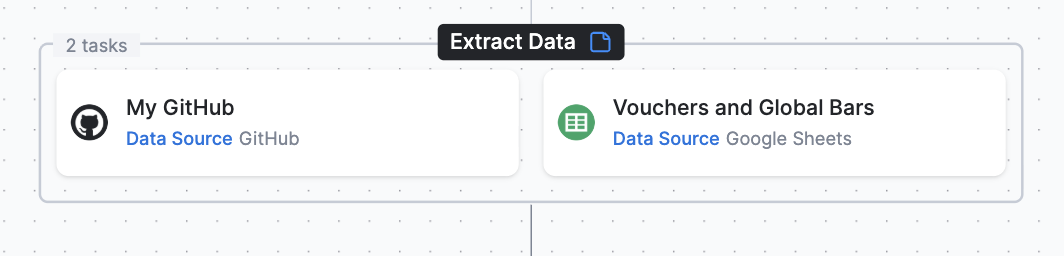
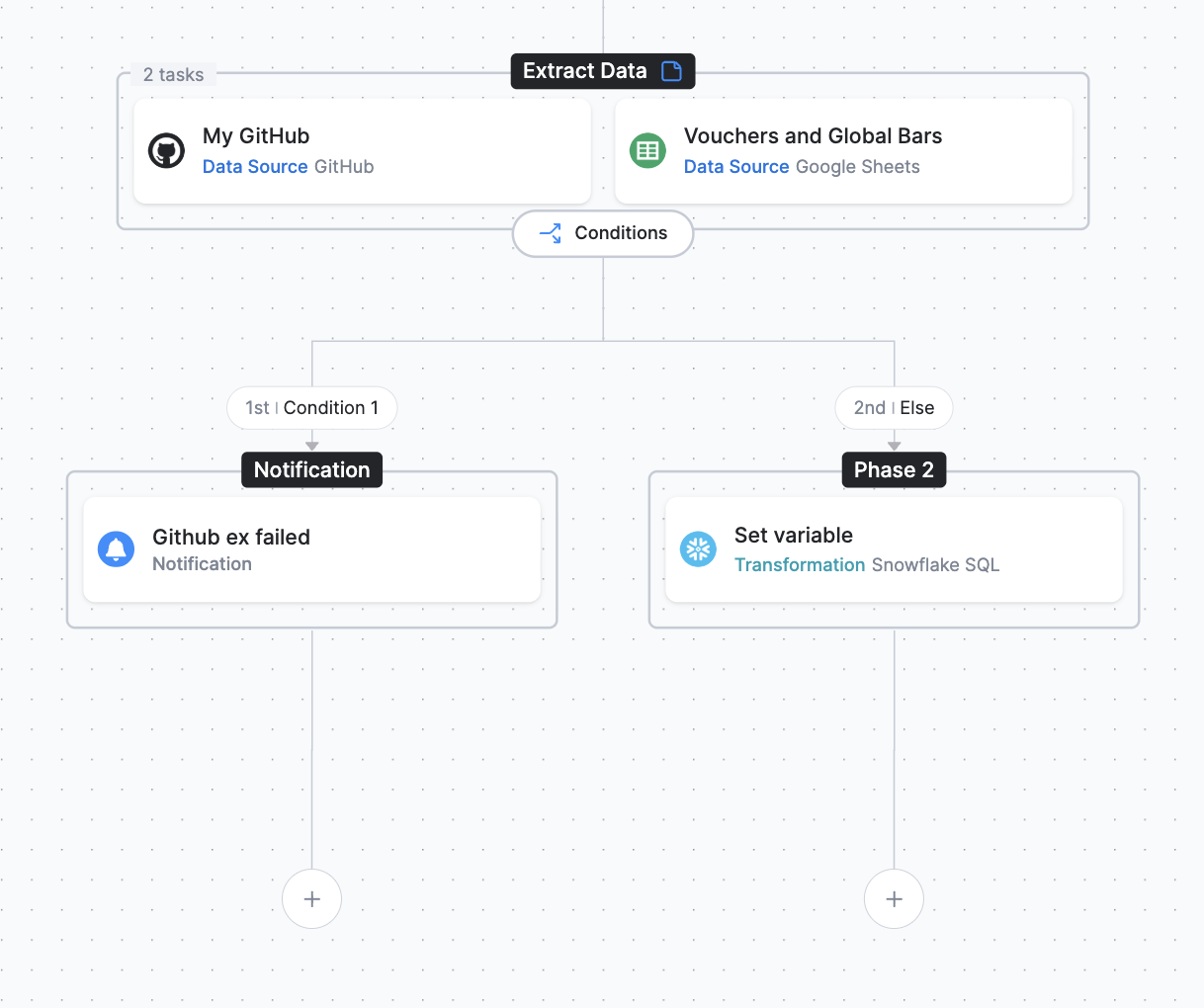
Section titled “Workaround: reproduce continue-on-failure with conditions”In Conditional Flows, you recreate this behavior with a condition that branches on a task’s job status. The example below starts from a first phase named Extract Data that contains two tasks: a GitHub extractor (My GitHub) and a Google Sheets extractor (Vouchers and Global Bars).
-
Start with the Extract Data phase containing the GitHub and Google Sheets extractor tasks.
-
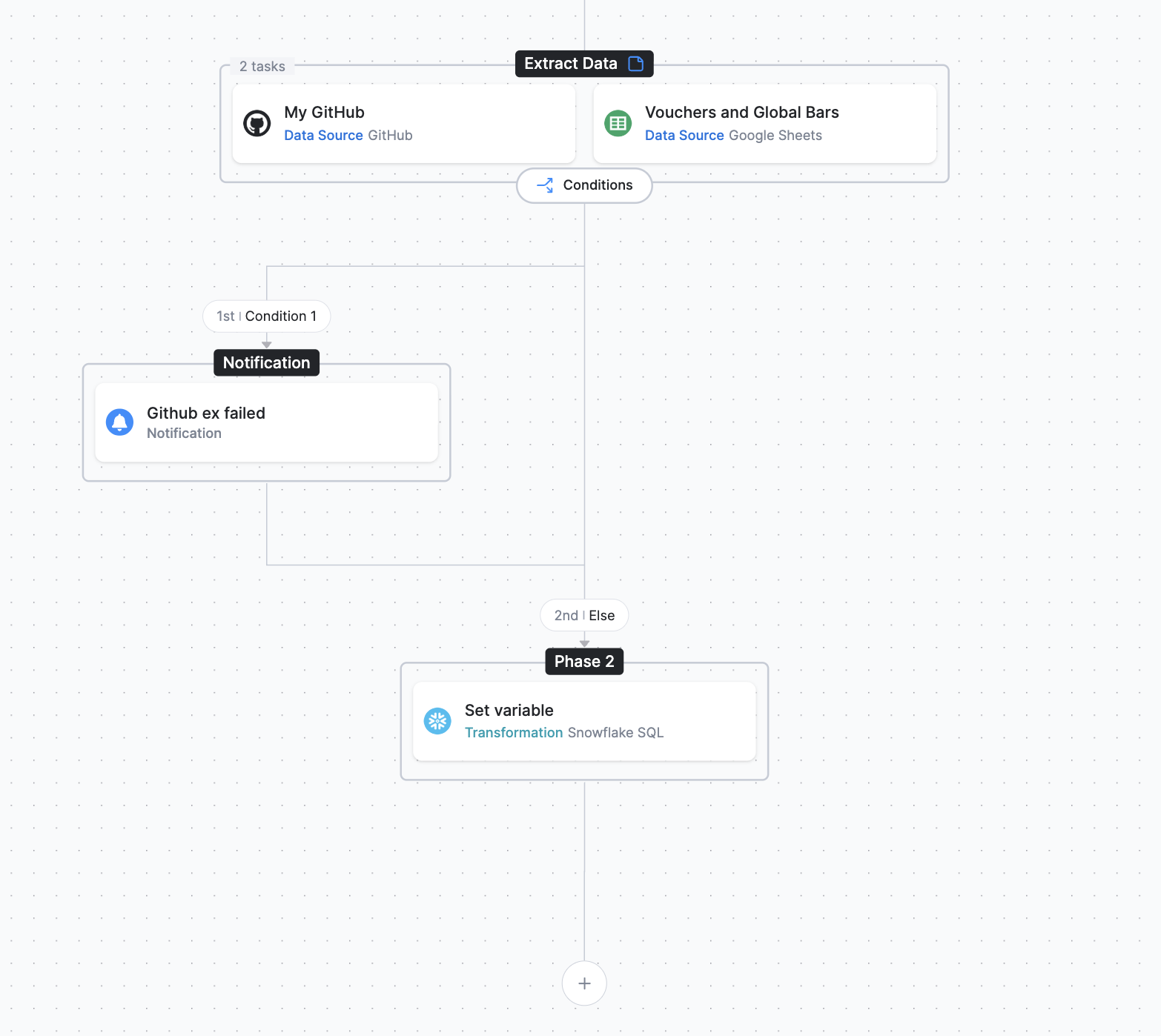
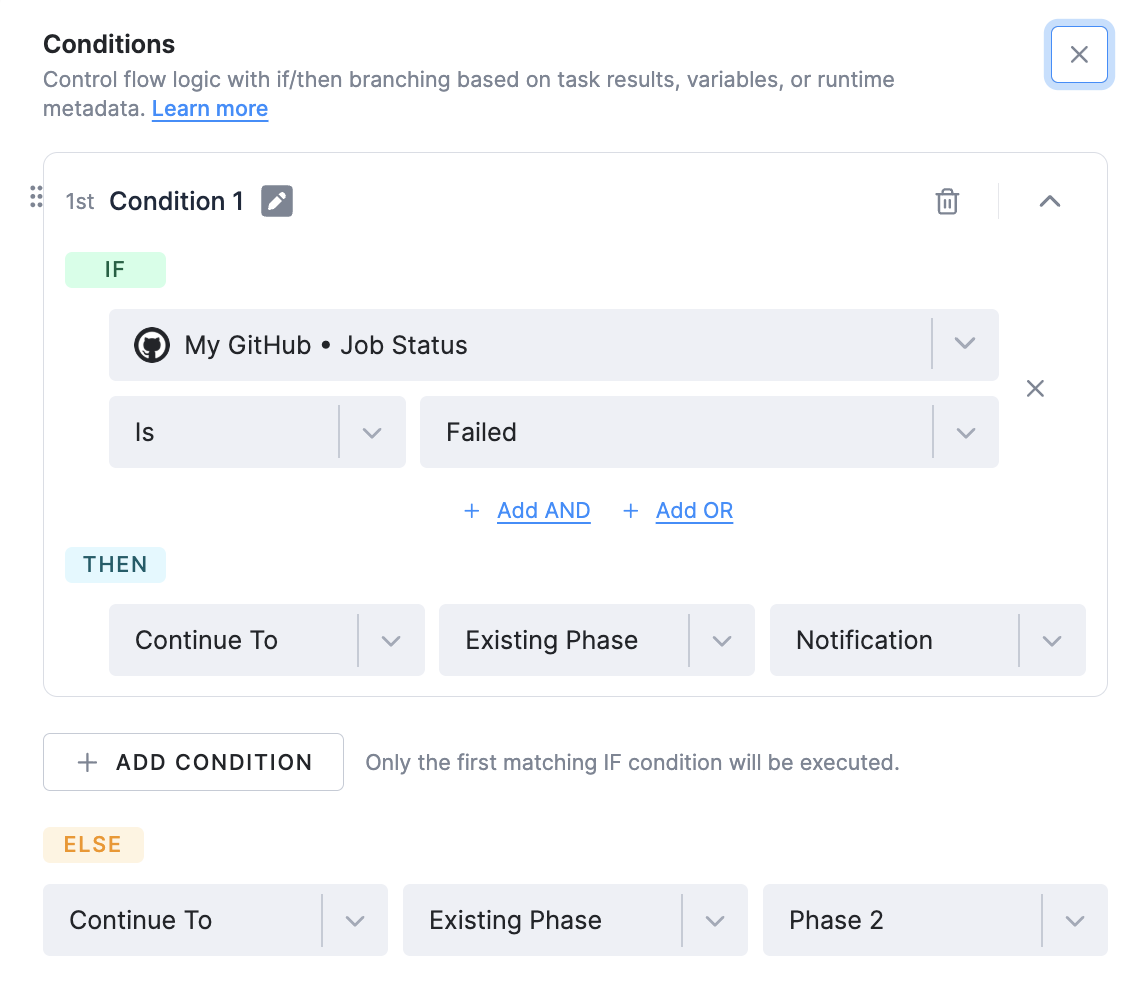
Add a condition to the GitHub extractor so that, when it finishes with an error, the Flow sends a notification and then continues. Set the condition to IF My GitHub Job Status Is Failed, THEN Continue To the Existing Phase Notification; in the ELSE branch, Continue To the Existing Phase Phase 2.
-
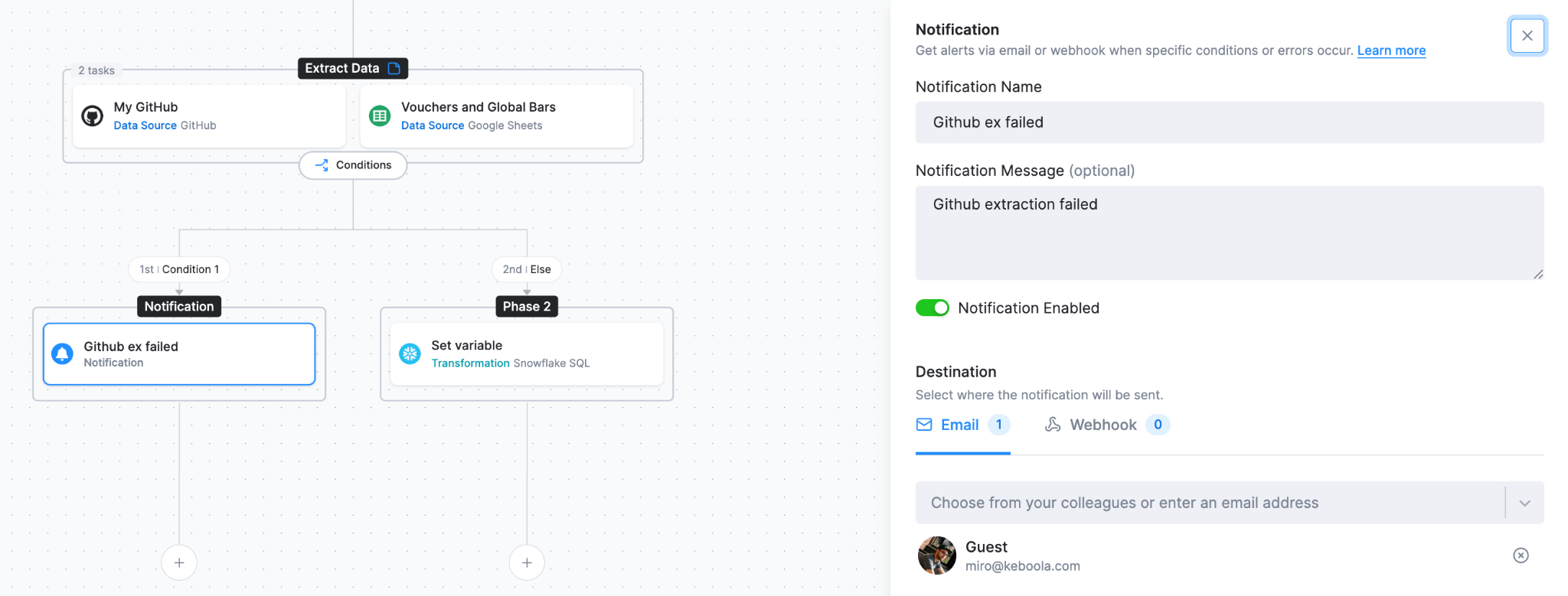
Add a Notification task to the Notification phase and configure it — for example, a name, a message, and an email destination.
-
Add the task where the Flow continues to Phase 2. In this example it is a Snowflake transformation named Set variable.
-
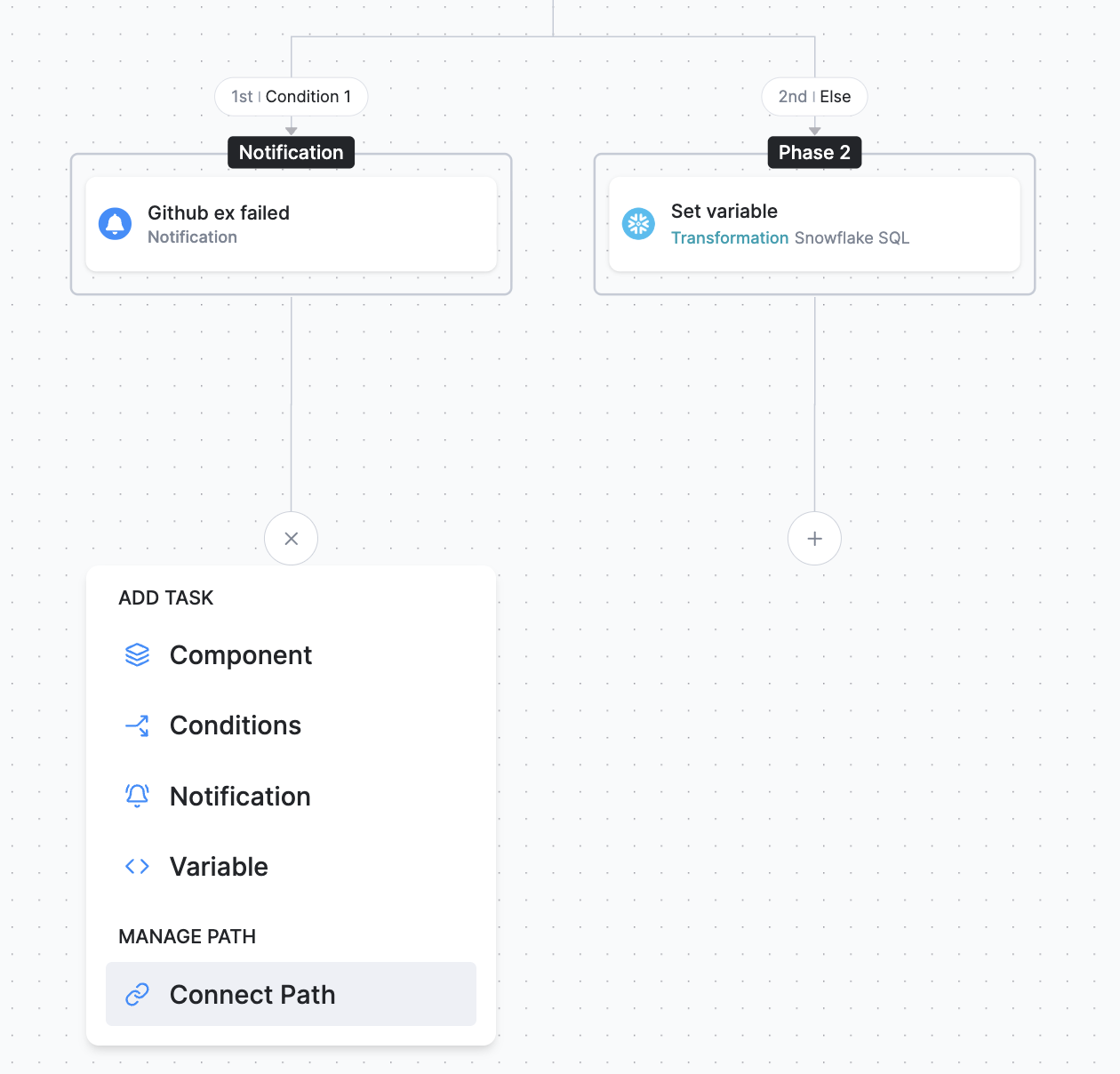
Connect the output of the Notification phase so it also continues to Phase 2. Click the plus icon (+) under the Notification phase and, under Manage Path, choose Connect Path. Then select Phase 2 from the drop-down.
-
The resulting Flow branches on the GitHub extractor failure into the Notification phase and rejoins Phase 2.